하위 태스크 1 ~2
HTML 기본 구조 작성
<!DOCTYPE html>,<html>,<head>,<body>태그를 포함한 기본 문서 구조 작성
메타 태그 설정
<meta charset="utf-8">및 기타 메타 태그 설정
my-profile.html 파일을 생성하고 Visual Studio Code로 연다. Visual Studio Code의 편집기 내에서 !를 입력하면 Emmet 약어 자동 완성이 유발된다. 이 약어는 HTML5의 기본 골격을 커서 위치에 삽입한다.
<!doctype html>
<html lang="en">
  <head>
    <meta charset="UTF-8" />
    <meta name="viewport" content="width=device-width, initial-scale=1.0" />
    <title>Document</title>
  </head>
  <body></body>
</html>
<!doctype html>: 문서가 HTML5로 작성된 웹 문서임을 의미한다.<html lang="en">: 웹 문서의 시작가 끝을 나타내는 태그다.lang속성은 문서의 주 언어를 나타내며 브라우저의 기본 언어와 다르면 번역 기능을 제공하는 등의 영향이 있다.<head>: 브라우저가 웹 문서를 해석하기 위한 정보들을 포함하는 태그다.<body>: 브라우저 화면에 나타날 내용을 포함하는 태그다.<meta charset="UTF-8" />: 웹 문서의 문자 인코딩 방식으로 UTF-8을 지정한다.
하위 태스크 4
텍스트 태그 작성
제목, 문단, 강조 태그를 활용한 텍스트 콘텐츠 작성
<body>
	<h1>문단 태그</h1>
    <p>이것은 문단입니다.</p>
    <h2>강조 태그</h2>
    <p><strong>강조 태그</strong>는 강조할 내용을 <b>굵게</b> 표시합니다.</p>
    <h3>하이라이트 태그</h3>
    <mark>하이라이트 태그</mark>는 중요한 내용을 하이라이트합니다.
</body>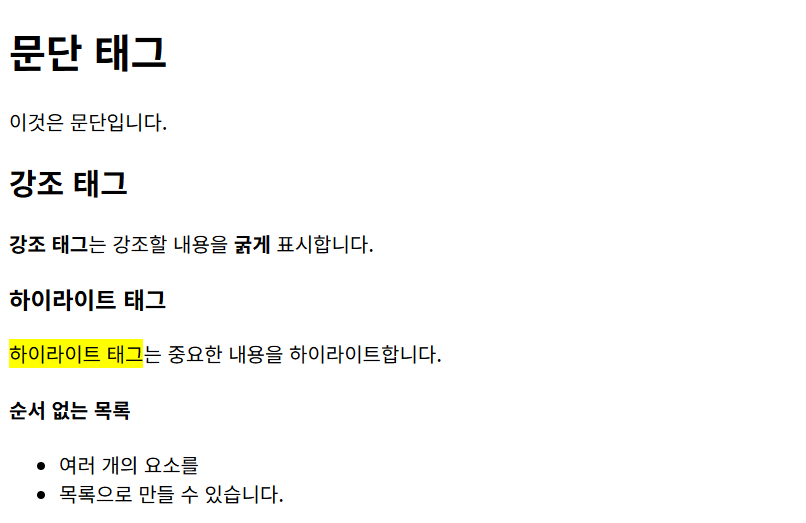
하위 태스크 5
목록 태그 작성
순서 없는 목록, 순서 있는 목록, 정의 목록을 활용한 정보 구조화
<body>
    <h5>순서 있는 목록</h5>
    <ol>
      <li>여러 개의 요소를</li>
      <li>순번과 함께 목록으로 만들 수 있습니다.</li>
    </ol>
    <h6>정의 목록</h6>
    <dl>
      <dt>사과</dt>
      <dd>사과나무의 열매</dd>
    </dl>
</body>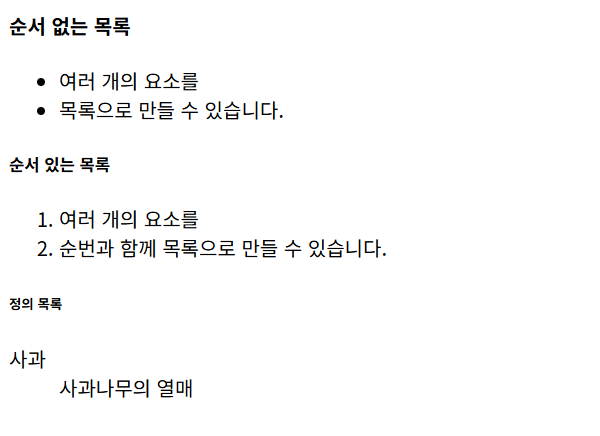
하위 태스크 3, 6 ~ 9
시맨틱 태그 활용
<header>,<nav>,<section>,<article>,<footer>태그로 페이지 구조화
표 작성
<table>태그를 사용하여 데이터를 표 형식으로 표현
이미지 삽입
<img>태그를 사용하여 이미지를 삽입하고 alt 속성 작성
링크 추가
내부 링크, 외부 링크, 앵커 링크를 활용한 네비게이션 구현
SVG 삽입
SVG 아이콘이나 그래픽을 HTML에 삽입
<!doctype html>
<html lang="en">
    <head>
        <meta charset="UTF-8" />
        <meta name="viewport" content="width=device-width, initial-scale=1.0" />
        <title>연습장</title>
        <style>
            table,
            td,
            th {
                border: 1px solid #d3d3d3;
            }
            td,
            th {
                padding: 8px;
            }
        </style>
    </head>
    <body>
        <!-- 헤더 영역 -->
        <header>
            <h1>연습장</h1>
        </header>

        <!-- 내비게이션 영역 -->
        <nav>
            <h2>목차</h2>
            <ul>
                <li><a href="#intro">자기소개</a></li>
                <li><a href="#gallery">갤러리</a></li>
            </ul>
        </nav>

        <main>
            <!-- 자기소개 영역 -->
            <article>
                <h2 id="intro">자기소개</h2>
                <table>
                    <colgroup>
                        <col style="background-color: #e2e2e2" />
                        <col span="2" style="background-color: #fafafa" />
                    </colgroup>
                    <tr>
                        <th>이름</th>
                        <td colspan="2">김인화</td>
                    </tr>
                    <tr>
                        <th>사진</th>
                        <td colspan="2">
                            <img
                                alt="펭귄을 추상화한 그림"
                                src="https://github.com/radiantbeing.png"
                                width="100"
                            />
                        </td>
                    </tr>
                    <tr>
                        <th rowspan="2">경력</th>
                        <td>2023</td>
                        <td>웹 프론트엔드 개발</td>
                    </tr>
                    <tr>
                        <td>2024 — 2025</td>
                        <td>웹 퍼블리싱</td>
                    </tr>
                </table>
            </article>

            <!-- 갤러리 영역 -->
            <article>
                <h2 id="gallery">갤러리</h2>
                <section>
                    <figure>
                        <img
                            alt="플러시"
                            src="https://img.pokemondb.net/artwork/avif/plusle.avif"
                            width="100"
                        />
                        <figcaption>
                            그림 1.
                            <a
                                href="https://pokemondb.net/pokedex/plusle"
                                target="_blank"
                                >플러시</a
                            >
                            — plusle.avif
                        </figcaption>
                    </figure>
                </section>
                <section>
                    <figure>
                        <img
                            alt="마이농"
                            src="https://img.pokemondb.net/artwork/avif/minun.avif"
                            width="100"
                        />
                        <figcaption>
                            그림 2.
                            <a
                                href="https://pokemondb.net/pokedex/minun"
                                target="_blank"
                                >마이농</a
                            >
                            — minun.avif
                        </figcaption>
                    </figure>
                </section>
                <section>
                    <figure>
                        <img
                            alt="이상해씨"
                            src="https://raw.githubusercontent.com/jnovack/pokemon-svg/refs/heads/master/svg/1.svg"
                            width="100"
                        />
                        <figcaption>
                            그림 3.
                            <a
                                href="https://pokemondb.net/pokedex/bulbasaur"
                                target="_blank"
                                >이상해씨</a
                            >
                            — 1.svg
                        </figcaption>
                    </figure>
                </section>
            </article>
        </main>

        <!--푸터 영역-->
        <footer>
            <p>Copyright 2026. 김인화 All rights reserved.</p>
        </footer>
    </body>
</html>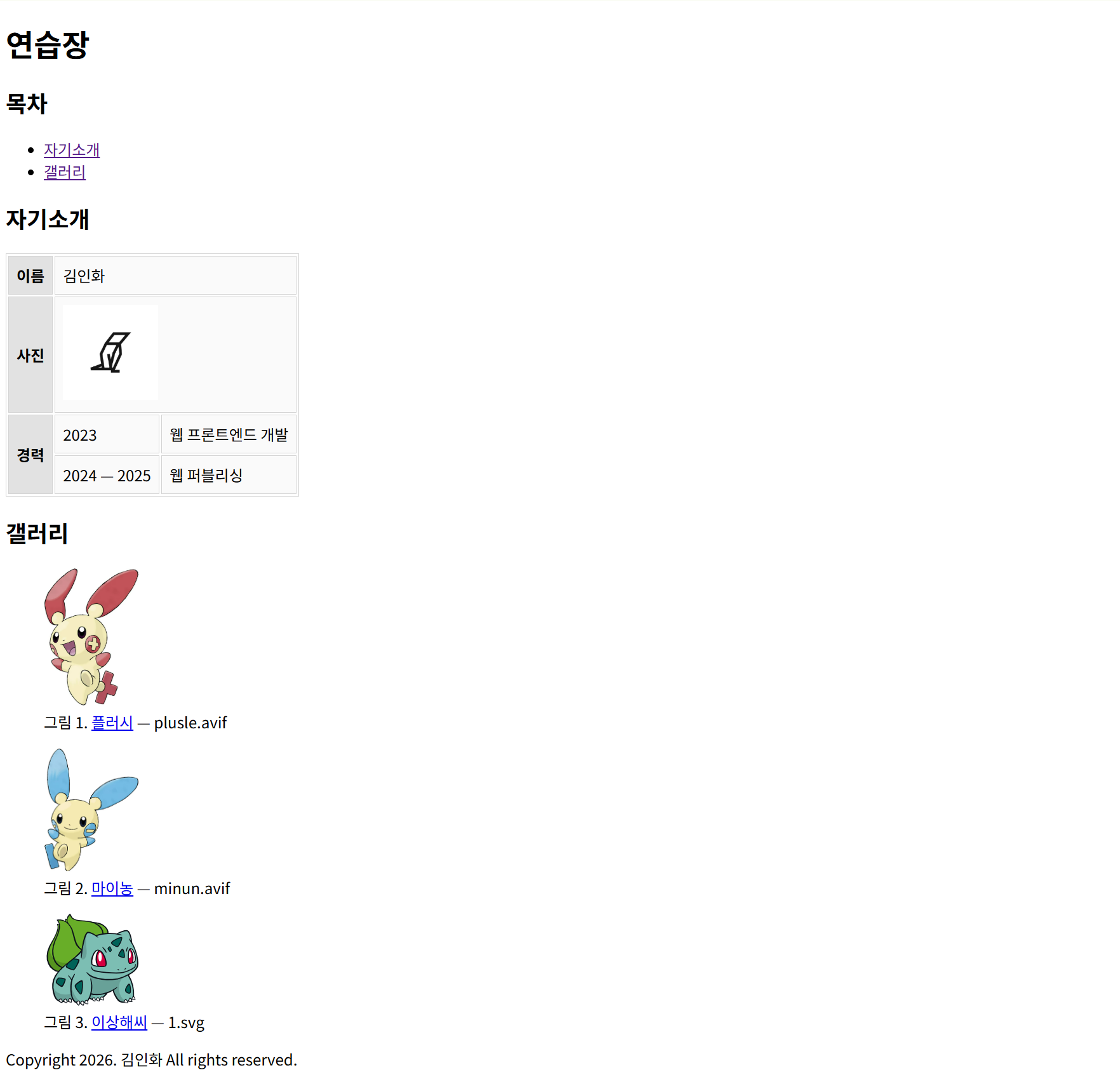
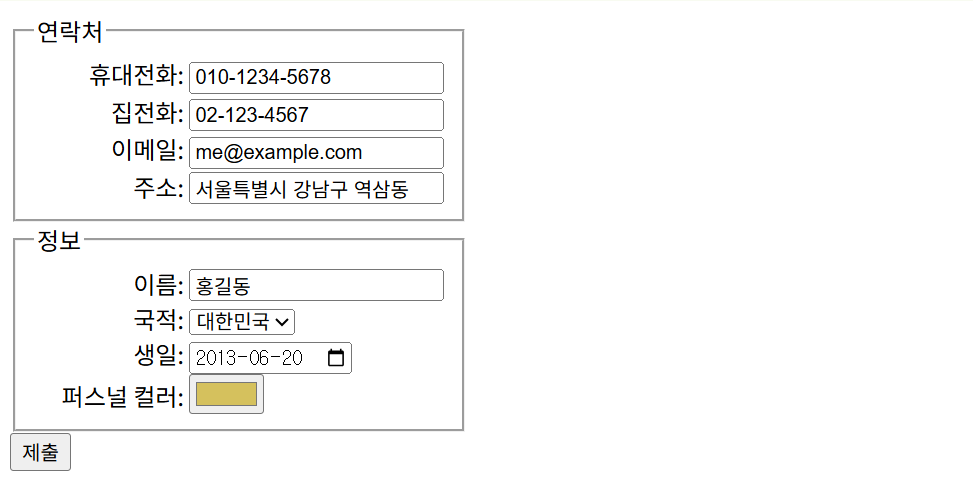
하위 태스크 10
폼 요소 작성
다양한 입력 타입을 활용한 연락처 폼 작성
<!doctype html>
<html lang="en">
    <head>
        <meta charset="UTF-8" />
        <meta name="viewport" content="width=device-width, initial-scale=1.0" />
        <title>폼 실습</title>
        <style>
            form {
                width: fit-content;
            }
            label {
                display: block;
            }
            label span {
                display: inline-block;
                width: 100px;
                text-align: right;
            }
        </style>
    </head>
    <body>
        <form>
            <fieldset>
                <legend>연락처</legend>
                <label>
                    <span>휴대전화:</span>
                    <input type="tel" name="phoneNumber" />
                </label>
                <label>
                    <span>집전화:</span> <input type="tel" name="telNumber" />
                </label>
                <label>
                    <span>이메일:</span> <input type="email" name="email" />
                </label>
                <label>
                    <span>주소:</span> <input type="text" name="address" />
                </label>
            </fieldset>
            <fieldset>
                <legend>정보</legend>
                <label>
                    <span>이름:</span>
                    <input type="text" name="name" />
                </label>
                <label>
                    <span>국적:</span>
                    <select name="country">
                        <option value="대한민국">대한민국</option>
                        <option value="미국">미국</option>
                    </select>
                </label>
                <label>
                    <span>생일:</span>
                    <input type="date" name="birthday" />
                </label>
                <label>
                    <span>퍼스널 컬러:</span>
                    <input type="color" name="personalColor" />
                </label>
            </fieldset>
            <button type="submit">제출</button>
        </form>
    </body>
</html>